Kid-safe video for families
Safe videos for kids, chosen by parents
Video Garden turns YouTube into a walled garden for your children: you pick the playlists and channels, they watch only what you approved — nothing else.
Why Video Garden
A video app you can hand to your kid
Everything in Video Garden exists to answer one question: can a parent trust what's on the screen?
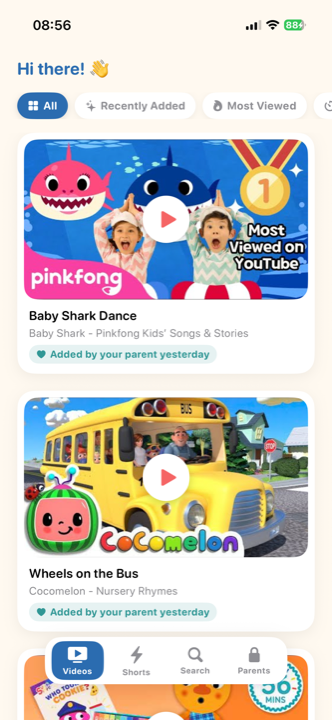
- Only what you approveKids see the playlists, channels and videos you picked — nothing else. No recommendations, no comments, no autoplay rabbit holes.
- PIN-protected parent areaAll settings live behind a parent PIN. Kids only ever see the player and the approved library.
- Built on your YouTubeUse your own YouTube playlists, follow trusted channels, or share individual videos straight into the app.
- Syncs across devicesYour selections and parent PIN sync to every family device automatically — set up once, use everywhere.
- No ads, no trackingNo advertising identifiers, no analytics profiles, no location data. Children have no accounts and share no personal information.
- iPhone, iPad & AndroidNative apps for iOS and Android, with layouts made for small hands on phones and tablets alike.
For parents
Curate from sources you trust
The parent area is where you build your child's library — from your own YouTube, not from an algorithm.
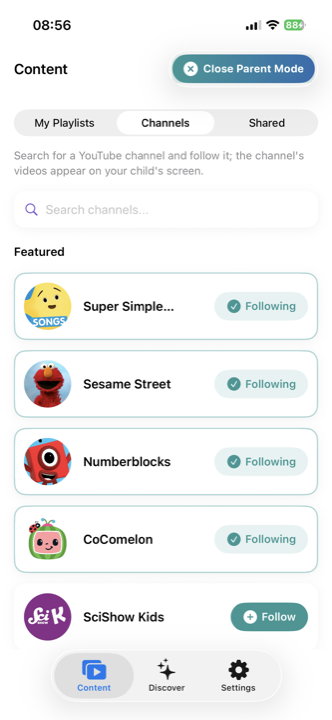
- Your own playlistsPick any of your YouTube playlists — new videos you add to them appear for your child automatically.
- Trusted channelsFollow channels like Sesame Street or Numberblocks; their videos show up on your child's screen.
- Single videos tooFound one great video? Share it into Video Garden straight from the YouTube app.
Discover
Start fast with ready-made packs
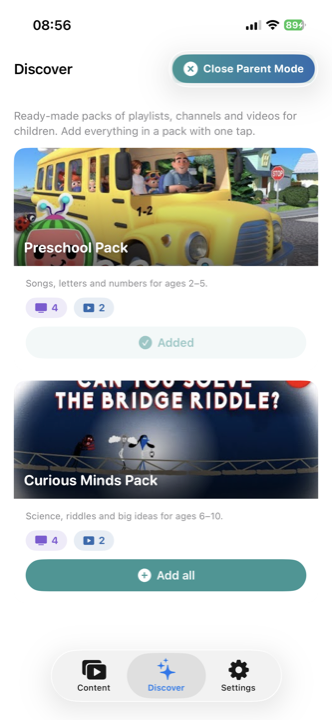
Don't want to start from a blank page? Discover ships curated packs you can add in one tap.
- Curated collectionsHand-picked packs of playlists, channels and videos — songs and numbers for ages 2–5, science and riddles for 6–10.
- One tap to addAdd a whole pack to your child's library with a single tap, then fine-tune it however you like.
How it works
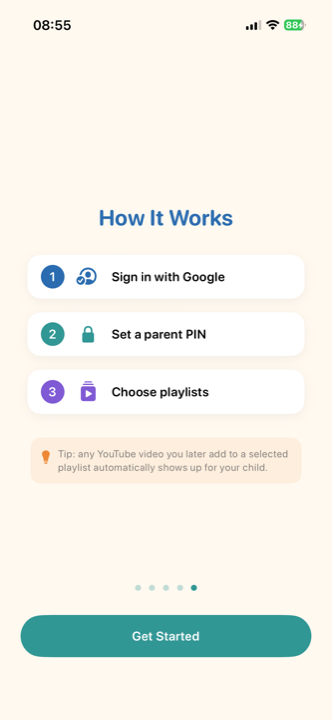
Set up in three steps
From sign-in to a safe library in a couple of minutes.
- 1. Sign in with Google or AppleConnect your Google account with read-only YouTube access, or sign in with Apple and connect YouTube later if you want your own playlists — it's optional. Video Garden never changes anything in your account.
- 2. Set a parent PINYour PIN locks the parent area, so settings stay yours alone.
- 3. Choose the contentSelect playlists, follow channels, add a pack — then hand over the device. Your child can't leave the approved library.
Questions or feedback?
Video Garden is built by a parent, for parents. If something is unclear — or you'd like to try the app — just write.